
After a Service Provider has uploaded a Quote, Variance or Invoice in the Portal, Strata Managers can view and download it.
Contents
Download Document from the 'Quote/Invoice/Variance' Button
1. Go to the Jobs page
2. Select the job
3. Click the 'View Quote/Invoice/Variance' button on the requests section of the page
4. Select 'Download'
Download Document from the Link in the Activity Log
1. Look for the Date and Time when the document was uploaded on the Activity Log
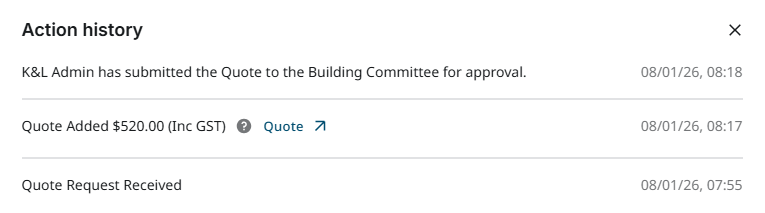
2. Click the 'Download ' link
2. Click the 'Download ' link
After the Quote, Variance or Invoice has finished downloading, Strata Managers can review and send the files.
Strata Managers should contact us with any further questions regarding this process.
Comments
0 comments
Please sign in to leave a comment.